

list-item renders one option the end user can pick: a product, a room, a menu item, an article. Use one block per item and at most 10 per reply. The platform teaches this block on every text channel; see Response formatting for when the model uses it on its own.
Verified against lua-cli 3.33.0.
Syntax
Fields
Example
A buy flow is the common shape: cards for the options, then the next step. In the skill’scontext, one sentence makes the model emit it: “When you show products, send each as a ::: list-item with the price as the subheading, then a ::: actions block with the next steps; once the customer has chosen, return the checkout URL from create_checkout in a ::: payment block.”
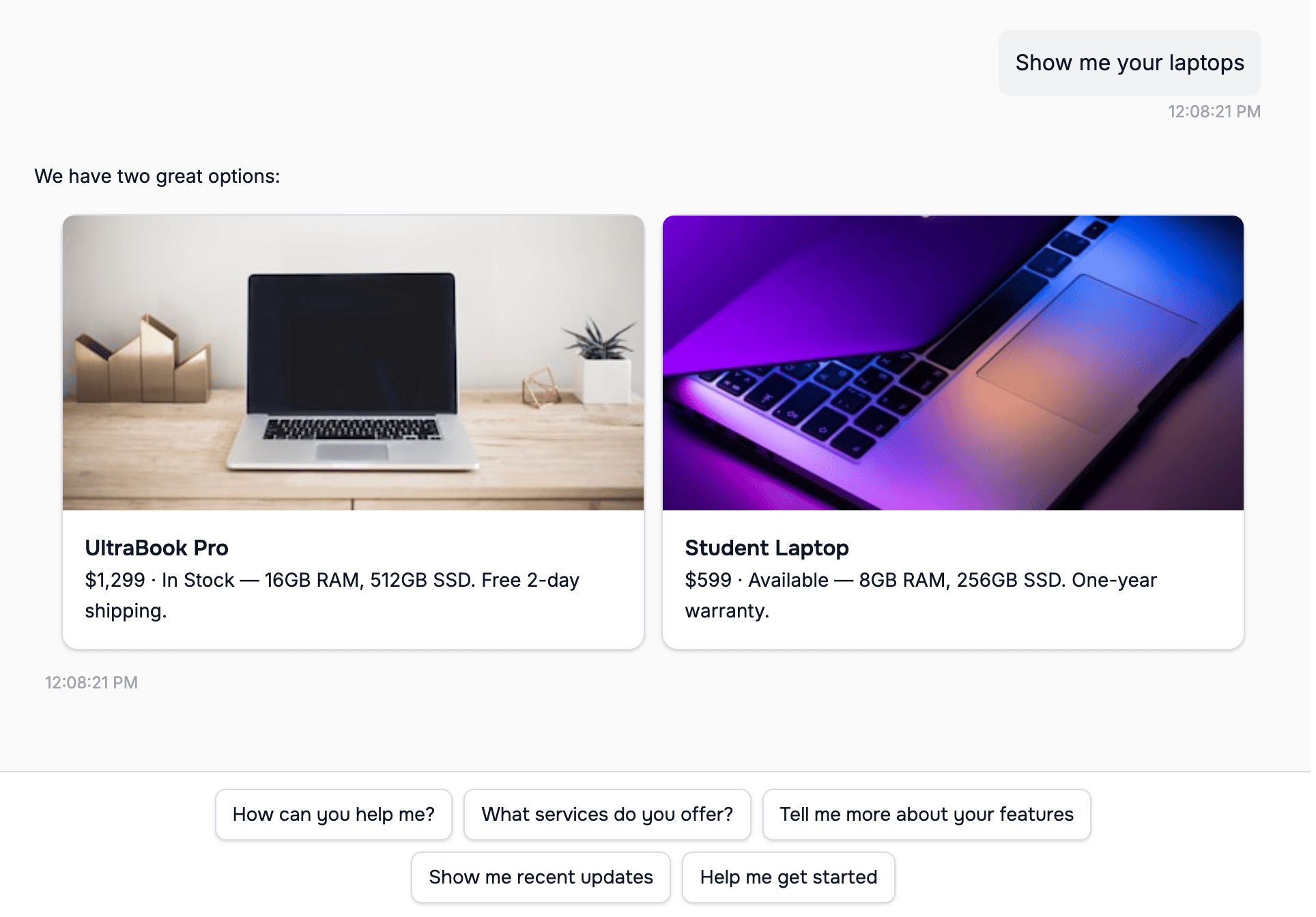
list-item cards in the web widget
list-item is sent as bold text rather than a card, three or more actions become a list whose rows read Option 1, Option 2, … with your entry as the description, and the payment block that follows the choice is a button labeled Pay Now whatever label you wrote.
Where it renders
On WhatsApp a list row shows the title cut at 24 characters and the subheading and description cut at 72, and a reply with more than 9 items is split across messages with a page indicator. Tapping an item sends a message that names it back to the agent: the title on Slack and Teams, the title and subheading in the web widget, and a sentence such as
I selected: *UltraBook Pro* (…) with the title and details on WhatsApp, Messenger, and Instagram.
On the messaging channels a reply whose only block is a single list-item is sent as text with the title in bold, plus its image, rather than as a card; send two or more items for cards.
See also
- Response formatting — the per-channel matrix
- horizontal-list-item — the same fields as a carousel
- actions — follow-up buttons after a list