Link your SimplyBook.me company so the agent can list services and staff, find free slots, and create or cancel bookings
Linking SimplyBook.me gives the agent your company’s services and staff, the next free day and its time slots, and the ability to create and cancel bookings, on the web widget and every other channel. There is no self-serve connection: you collect three values from SimplyBook.me and support links them to your agent.Verified against lua-cli 3.33.0.Before you begin
A SimplyBook.me account with the API custom feature available on its plan.
The agent to link, and its agent ID from the admin dashboard.
1
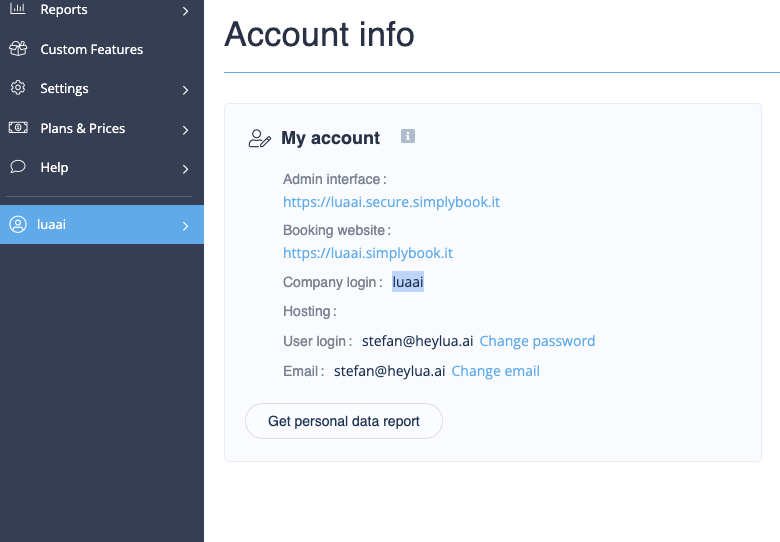
SimplyBook.me: find your company login
Sign in at simplybook.me, open the account menu, and select Account Info. The Company Login is the identifier in your booking URL (<company>.simplybook.me).
Company Login on the Account Info page.
2
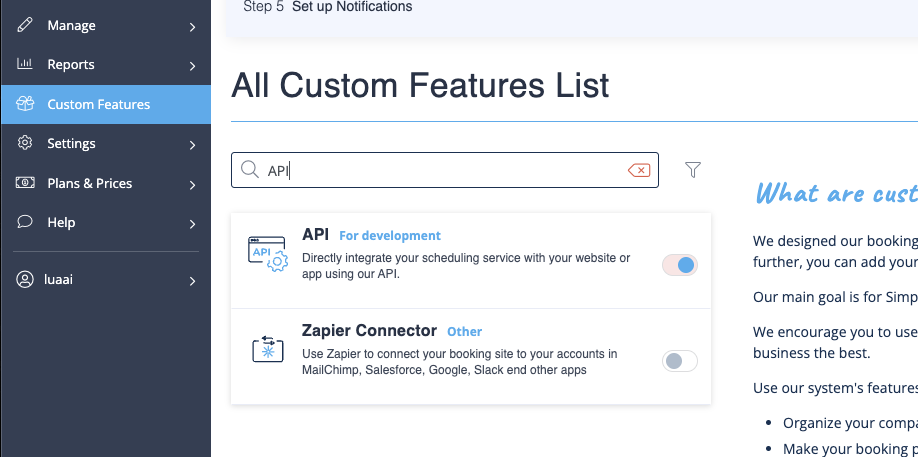
SimplyBook.me: switch on the API and generate keys
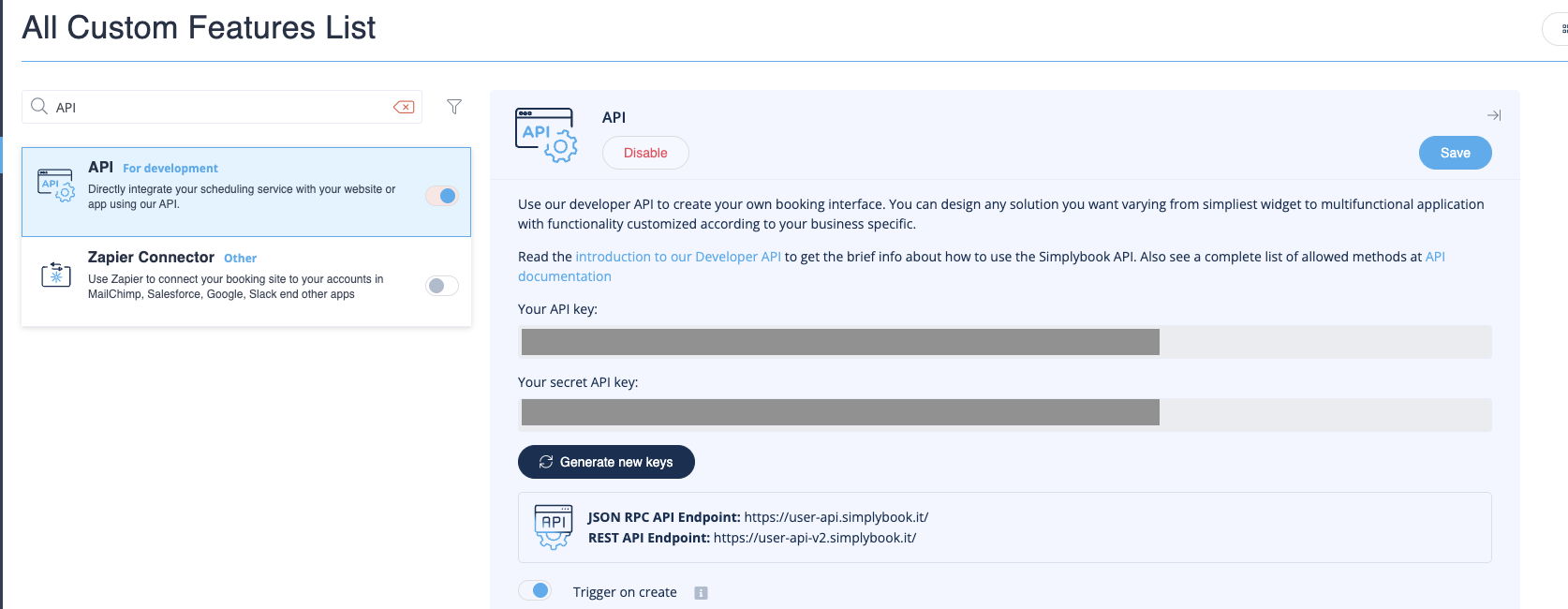
In Custom Features, switch API on, then generate an API key; note both the API key and the secret key.
The API toggle under Custom Features.
Generating the API key.
3
Send the values to support
Email [email protected] with the company login, API key, secret key, and the agent ID. Support links them to the agent; from then on Lua signs in to the SimplyBook.me API itself and refreshes the token on a schedule.
4
Try it
On the web widget or a connected channel, ask “When is the first free slot for a 30-minute massage?”. The agent lists services and staff, finds the first working day, offers time slots, and books once the end user gives a name, email address, and phone number.
SimplyBook.me isn’t a Unified.to integration type, so there is no Integrations.passthrough('simplybook', …). For endpoints the tools don’t cover, write a tool that calls the SimplyBook.me API with your own keys from env() (see Call your API). To add your own tools to this agent, run lua init --agent-id <id> in a new folder (find the ID with lua agents --json --ci), then follow Add a tool.
Cannot refresh token: missing companyLogin or apiKey in metadata
The values haven’t been linked to this agent, or the company login or API key is wrong. Check them in SimplyBook.me and send them to [email protected] again with the agent ID.
No time slots are offered
The service has no staff member assigned, or the staff member has no working hours in that range. Assign the service and set working hours in SimplyBook.me.
A booking is refused
SimplyBook.me rejected the booking: the API feature was switched off, or the email address or phone number isn’t in a format it accepts. Re-enable the API and ask the end user to confirm the contact details.