Install the Lua app from the Shopify App Store to give your agent a synced catalog, baskets, checkout links, and a storefront widget
Installing the Lua app on a Shopify store creates an agent that searches the store’s products by text or SKU, shows product details and variant stock, builds a basket, and hands the end user a Shopify checkout link, on the storefront widget and every other channel. This is the catalog app; the Unified.to shopify integration type is a separate connection made with lua integrations connect (lua integrations info shopify lists OAuth and token), described under Raw API access.Verified against lua-cli 3.33.0.Before you begin
A Shopify store where you can install apps and edit the theme.
The grants the app requests: read and write products, read inventory, write checkouts, draft orders, and orders, read content, and read and write themes (the theme grants install the widget).
1
Shopify admin: install the app
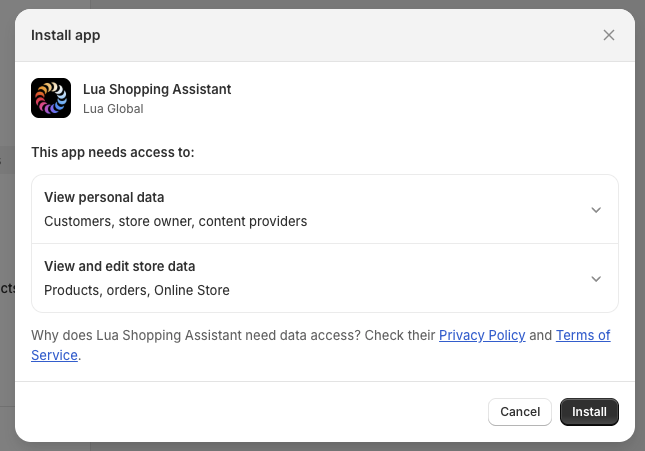
Open Lua AI Shopping Assistant in the Shopify App Store, select Install, and accept the access request.
The access request lists the product, checkout, content, and theme grants.
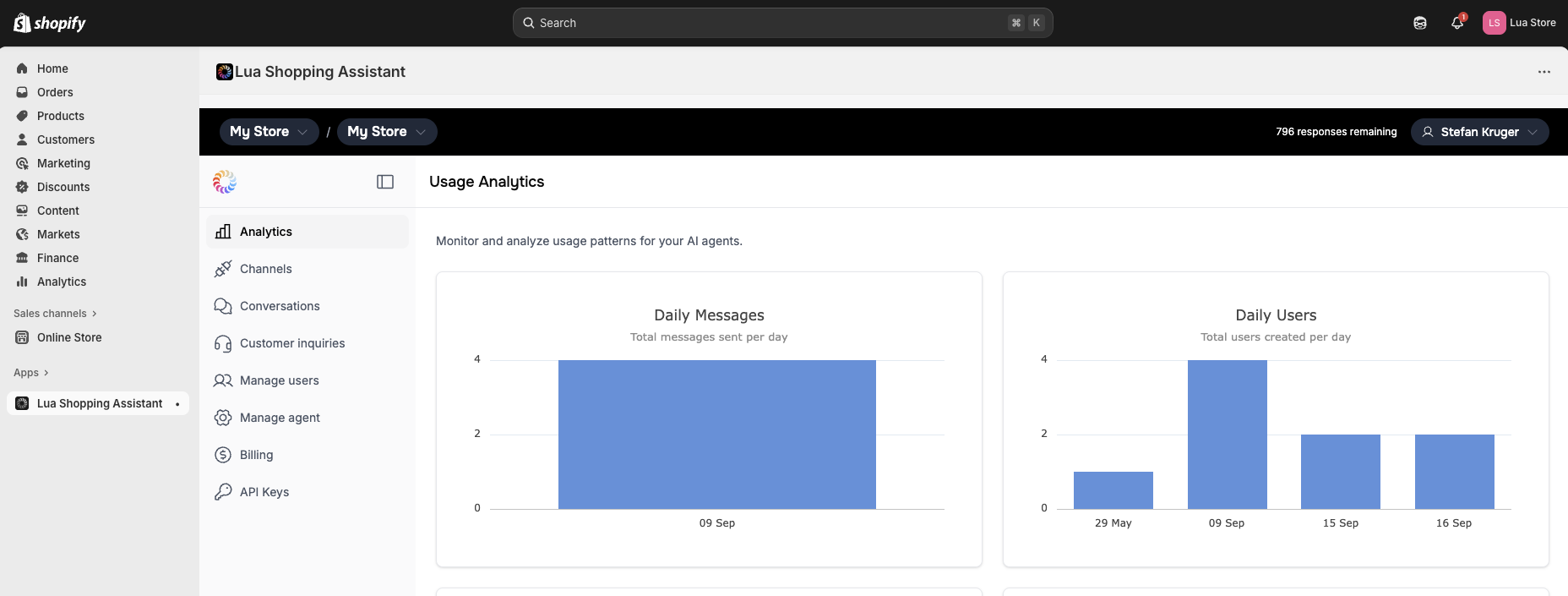
Shopify then opens the admin dashboard inside Shopify admin; the agent, its organization, and the first catalog sync are created in this step, and a persona is drafted in the background.
The admin dashboard inside Shopify admin after installation.
2
Shopify admin: switch on the storefront widget
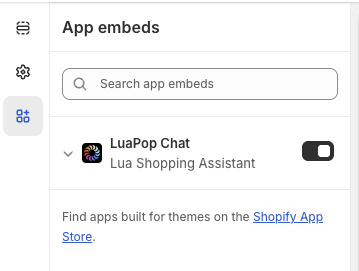
In Sales channels › Online Store › Themes, select Customize, open App embeds, switch LuaPop Chat on, set position, theme, button text, and colors, then select Save.
LuaPop Chat in the theme editor's app embeds.
The embed’s settings cover position, theme, button text, icon, and color, chat title, window size, link previews, and custom CSS for the button and header; the full option set is on Style the web widget.
3
Storefront: try it
Open the store, open the widget, and ask for a product, for example “Show me black pouches under $50”. The agent searches the synced catalog, sends product cards, and can add a variant to the basket and return a checkout link.
Search products by description (raising the result limit for products sold as many color variants), find products by SKU, get one product’s details, and send product cards.
Check whether a variant is in stock.
Add to, remove from, show, and clear the end user’s basket, and check out: the agent creates a Shopify draft order, returns its checkout URL for the end user, and records the order as pending.
The app doesn’t look up existing orders or shipments; add a tool for that (see Raw API access).
A full refresh runs every hour: products whose Shopify status is ACTIVE are searchable, others are marked inactive, and products no longer in Shopify are removed.
Product create, update, and delete webhooks, registered at install, refresh a single product immediately.
A store with no conversation for 30 days stops refreshing until the next message arrives; a newly installed store always gets its first sync.
A 401, 402, 403, or 404 from Shopify pauses the sync for 24 hours; three in a row stop it until support restores it.
Your own tools read the same catalog through Products, and the baskets and checkouts through Baskets and Orders. To add your own tools to this agent, run lua init --agent-id <id> in a new folder (find the ID with lua agents --json --ci), then follow Add a tool.
src/skills/tools/FindGiftTool.ts
import type { LuaTool } from 'lua-cli';import { Products } from 'lua-cli';import { z } from 'zod';export default class FindGiftTool implements LuaTool { name = 'find_gift'; description = 'Suggest products from the synced store catalog for a gift brief'; inputSchema = z.object({ brief: z.string().describe('Who the gift is for and the budget') }); async execute(input: z.infer<typeof this.inputSchema>) { const result = await Products.search(input.brief); return result.map((product) => product.data); }}
lua test runs the tool against the store’s synced catalog.
lua test skill --name find_gift --input '{"brief":"a coffee lover, under $40"}' --ci
lua integrations connect --integration shopify --auth-method token connects a store through Unified.to with an Admin API access token and the Store ID, independently of the app: it provisions Unified.to’s commerce tools, the events lua integrations info shopify lists (products, variants, inventory, collections, customers, orders, and invoices), and Integrations.passthrough('shopify', …) for any Admin API endpoint. It doesn’t sync the catalog, fill Products or Baskets, or install the widget.
Only products with status ACTIVE are searchable, and the first sync starts at install and takes a while for a large catalog. Check the product’s status in Shopify, then try an exact product name.
Products stopped updating
The store was idle for 30 days, or Shopify refused the sync (a 401, 402, 403, or 404 pauses it for 24 hours; three in a row stop it). A message to the agent re-arms an idle store; for a stopped sync, write to [email protected].
The widget doesn't show on the storefront
The embed is off, the theme wasn’t saved, or you’re viewing a preview. In the theme editor confirm LuaPop Chat is on, select Save, and open the published theme.