Overview
About Square Appointments
Square Appointments is the leading booking and scheduling system trusted by thousands of service-based businesses worldwide. From beauty salons and fitness studios to medical clinics and professional consultants, Square Appointments handles appointment scheduling, staff management, customer communications, and payments - all in one platform.Automate Bookings with AI
Integrate Lua AI with Square Appointments to give your customers an intelligent booking assistant that works 24/7. Instead of customers navigating your booking page alone, they chat with an AI agent that understands their needs, checks availability, and completes bookings instantly across any channel. Why This Transforms Your Business:- 📅 More Bookings - AI converts casual inquiries into confirmed appointments
- ⏰ 24/7 Availability - Book appointments even when you’re closed
- 💬 Natural Conversations - “I need a haircut tomorrow afternoon” → Done
- 📱 Multi-Channel Booking - WhatsApp, Facebook, Instagram, Email, Website
- ⚡ Instant Confirmation - No back-and-forth, immediate scheduling
- 🔄 Reduce No-Shows - AI sends personalized reminders
- 💰 Upsell Services - AI suggests additional services intelligently
- 📊 Fill Empty Slots - AI proactively offers last-minute openings
Complete Booking System
Full appointment management
5-Minute Setup
OAuth integration, zero configuration
Multi-Industry
Beauty, fitness, medical, professional
AI Booking Agent
Conversational appointment scheduling
What Square Appointments Offers
According to Square: Appointment Features:- 📅 Online Booking - 24/7 self-service scheduling
- 📱 Mobile Apps - Client and staff apps
- 💳 Payment Processing - Take deposits or full payment
- 🔔 SMS & Email Reminders - Automated notifications
- 👥 Staff Management - Schedule multiple team members
- 🌍 Multi-Location - Handle multiple business locations
- 📊 Analytics - Booking insights and reports
- 🔄 Calendar Sync - Google, Outlook integration
- 💅 Beauty & Wellness (salons, spas, barbershops)
- 🏋️ Sports & Fitness (gyms, trainers, studios)
- 🏥 Healthcare (clinics, therapy, wellness)
- 💼 Professional Services (consulting, coaching, legal)
- 🐕 Pet Services (grooming, training, veterinary)
- 🏠 Home Services (cleaning, repairs, landscaping)
Prerequisites
Before connecting Square to Lua:- Active Square Account - Sign up at squareup.com
Square Appointments is included with Square Plus ($29/month) or higher plans.
The free plan has limited appointment features.
Integration Setup
📺 Video Tutorial
Prefer watching a video? Follow along with our step-by-step video guide
1
Navigate to Lua Square Auth
Open your browser and go to:
https://auth.heylua.ai/square/auth
This secure OAuth flow connects your Square account to Lua without sharing
your password.
2
Sign In to Square
Click “Sign in with Square” or “Continue with Square” Enter your
Square account credentials: - Email address - Password - (Two-factor
authentication if enabled)
Screenshot: Square login form showing email and password fields

3
Select Your Business (If Applicable)
If your Square account manages multiple businesses, you’ll see a selection
screen. Choose the business you want to connect to your Lua agent.
Screenshot: Business selection screen showing multiple Square
locations/businesses

Managing multiple businesses? You can connect different Lua agents to
different Square locations. Just repeat this process for each agent/business
combination.
4
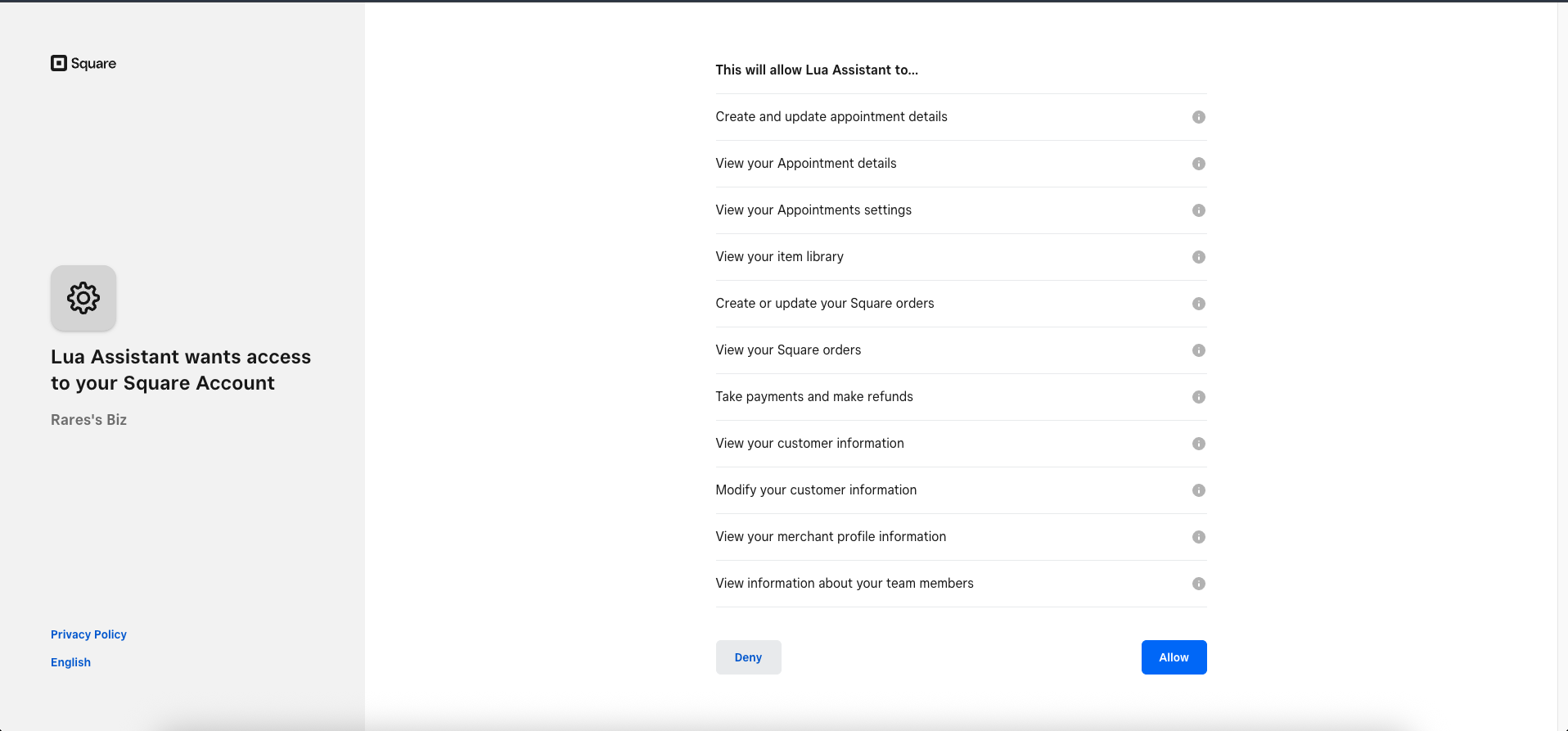
Grant Permissions
Square will display the permissions that Lua needs to function.Lua requires access to:
Screenshot: Square OAuth permission screen listing required access scopes
with “Allow” button
- 📅 Appointments (for booking management)
- 👥 Staff (for team member availability)
- 👤 Customer Info (for personalized service)
- 💳 Payments (for booking deposits)

5
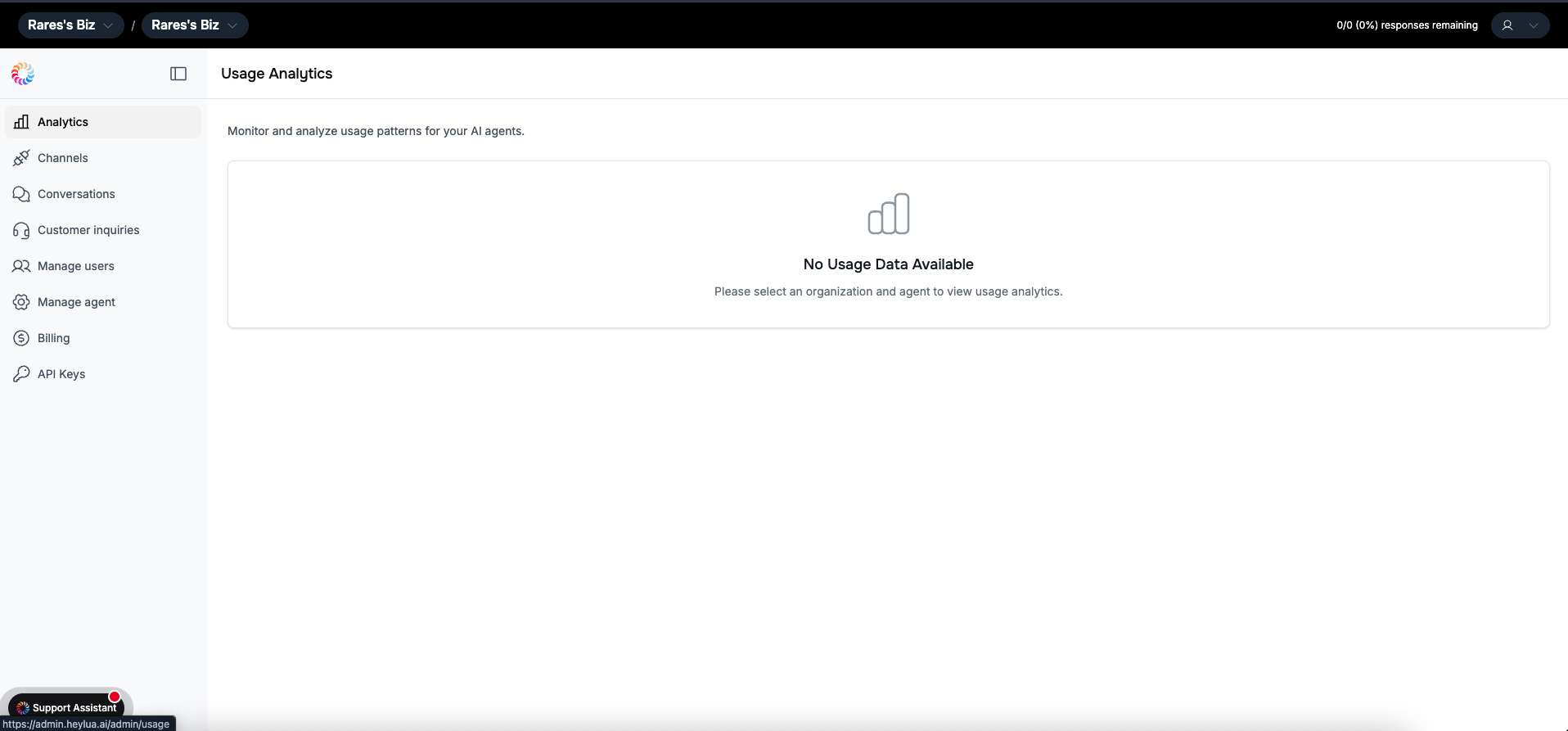
Integration Complete!
You’ll be redirected to your Lua Admin Dashboard Your Square integration
is now active and ready to use!
Screenshot: Lua admin dashboard showing successful Square integration

Success! Your Lua agent can now access your Square Appointments,
availability, and booking data in real-time.
What Your Agent Can Do
With Square Appointments integration, your AI agent becomes a powerful booking assistant:Check Availability
View open appointment slots
Book Appointments
Schedule services instantly
Service Details
Pricing, duration, staff info
Staff Selection
Choose specific providers
View Bookings
Check customer appointment history
Multi-Service
Book multiple services at once
Location Support
Handle multiple business locations
Booking Policies
Communicate cancellation rules
Current Limitation: The AI agent can check availability and search for
rescheduling options, but cannot finalize rescheduling or cancel existing
bookings. Customers will need to manage changes through Square or contact you
directly.
Use Cases by Industry
- 💅 Beauty & Wellness
- 🏋️ Fitness & Training
- 🏥 Healthcare & Wellness
- 💼 Professional Services
Perfect for: Hair Salons, Nail Salons, Spas, Barbershops, Med SpasAutomated appointment booking:
- “I need a haircut tomorrow afternoon”
- Check stylist availability
- Book specific services
- View appointment history
- Upsell complementary services
Multi-Channel Booking
Square Appointments integration works across all Lua channels:Website Chat
Embedded booking widget
Book via WhatsApp Business
Scheduling through Instagram DMs
Messenger booking experience
Disconnecting Square Integration
If you need to disconnect Lua from your Square account:1
Open Square Dashboard
Log into your Square account at squareup.com
2
Navigate to App Integrations
Click on Settings in the left sidebar Select App Integrations from the
settings menu
Screenshot: Square Settings showing App Integrations section with Lua
Assistant listed

3
Find Lua Assistant
Scroll through your connected apps to find “Lua Assistant” or “Lua”
4
Disconnect App
Click the three dots (⋮) on the right side of the Lua Assistant row
Select “Disconnect App” from the dropdown menu Confirm the disconnection
when prompted
Want to reconnect? Just go through the integration
setup process again. All your Lua agent configuration is
preserved.
Real-World Examples
- Hair Salon
- Fitness Studio
- Medical Clinic
Luxe Hair Studio“We switched to Square Appointments last year, and Lua automates 80% of our bookings now. Clients text our WhatsApp number like ‘I need a haircut Thursday afternoon’ and the AI books them in seconds. It even suggests add-on services like ‘Would you like a deep conditioning treatment?’ We’ve seen a 25% increase in service upgrades.”What they book: Haircuts, coloring, treatments
Channels: WhatsApp, Website widget
Troubleshooting
Integration failed or shows error
Common causes:
- Square account not fully set up - Ensure you’ve completed Square onboarding
- Appointments not enabled - Upgrade to Square Plus or Premium
- Missing permissions - Try disconnecting and reconnecting with all permissions granted
- Browser issues - Clear cache or try a different browser
Appointments not showing availability
Verify: 1. Square Appointments is enabled in your Square account 2.
Services are set up with duration and pricing 3. Staff members have
availability hours configured 4. Booking permissions were granted during
integration 5. Location has operating hours set Note: Square free plan has
limited appointment features
No staff members showing up
Check: 1. Staff have booking profiles in Square Appointments 2. Team
members are assigned to services 3. Staff availability hours are set 4. Staff
are enabled at the relevant location Fix: Configure in Square Dashboard →
Team → Booking Profiles
Can't book specific services
Verify: 1. Service is marked as bookable in Square 2. Service has proper
duration and pricing set 3. At least one team member is assigned to the
service 4. Service is available at the selected location Solution: Check
Square Dashboard → Appointments → Services
Booking confirmation not received
Check:
- Customer email/phone is correct in Square
- Notification settings enabled in Square
- Check spam/junk folders
- Square SMS credits available (if using SMS)
- Email not blocklisted
Best Practices
Configure Services Clearly
For booking businesses:
- ✅ Accurate service duration (include buffer time)
- ✅ Clear service names (“Women’s Haircut” not just “Haircut”)
- ✅ Detailed descriptions
- ✅ Proper pricing
- ✅ Staff availability accurately set
- ✅ Booking windows configured
Set Smart Booking Policies
Configure in Square Appointments: - Minimum lead time for bookings -
Maximum advance booking time - Cancellation policy and deadlines - Buffer time
between appointments - Booking deposit requirements Why: AI will
communicate these policies to customers automatically
Optimize Staff Schedules
Best practices: - Set realistic availability blocks - Include break times
- Configure time off in advance - Assign services to appropriate staff - Enable multiple staff per service when possible Result: More available slots for customers to book
Monitor Booking Patterns
Track performance: 1. In Lua Admin: - Booking conversion rates - Most
requested services - Popular time slots - Drop-off points 2. In Square
Dashboard: - No-show rates - Utilization rates - Revenue per appointment -
Customer retention 3. Optimize: - Adjust availability based on demand -
Promote underbooked time slots - Refine service descriptions
Pricing & Square Plans
Square Appointments features by plan:- ❌ Square Free - Limited appointment features
- ✅ Square Plus ($29/month) - Full Appointments features ⭐ Recommended
- ✅ Square Premium ($69+/month) - Multi-location, advanced features
Next Steps
Connect Square Now
Start integration in 5 minutes
Configure Channels
Add WhatsApp, Instagram, Facebook
Configure Agent
Set up booking assistant personality
Test Your Agent
Test booking flows locally
Need Help?
Having trouble with Square Appointments integration? Email us at
[email protected] or check the troubleshooting section
above.