

actions lists things the end user might say next. Tapping one sends its label back to the agent as the next message, so every entry must be something the agent can handle. The platform teaches this block on every text channel; see Response formatting.
Verified against lua-cli 3.33.0.
Syntax
Fields
Example
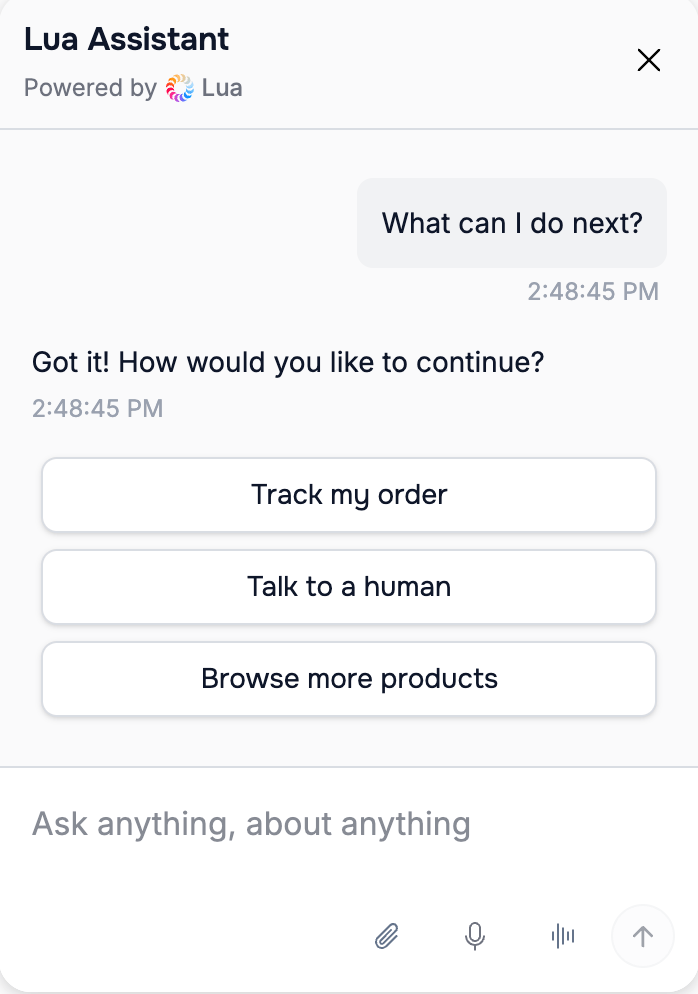
actions rendered as chips in the web widget
Where it renders
On WhatsApp a row description is cut at 71 characters, and a tapped row reaches the agent as
I selected: *Option 2* (entry) rather than the bare entry.
See also
- Response formatting — the per-channel matrix
- list-item — the options an
actionsblock usually follows - links — for choices that open a URL