> ## Documentation Index
> Fetch the complete documentation index at: https://docs.heylua.ai/llms.txt
> Use this file to discover all available pages before exploring further.
# Agent
> Unified configuration for your entire AI agent
## What is LuaAgent?
**LuaAgent** is the main configuration object for your entire AI agent. It brings together your persona, skills, webhooks, jobs, and message processors in one unified structure.
The "brain" of your AI - where you define who the agent is, what it can do, and how it behaves
LuaAgent replaces the old pattern of exporting individual skills. It's now the recommended way to configure agents.
## Why LuaAgent?
All agent configuration in one place instead of scattered exports
Clear separation between persona, skills, webhooks, jobs, and processors
Component IDs and versions auto-tracked in `lua.skill.yaml` (do not edit manually)
Support for webhooks, jobs, preprocessors, and postprocessors
## Anatomy of an Agent
```typescript theme={null}
import { LuaAgent } from 'lua-cli';
export const agent = new LuaAgent({
// Required: Who is this agent?
name: "customer-support-agent",
// Required: What's its personality and behavior?
persona: `You are a friendly customer support specialist.
Your role:
- Help customers with orders and inquiries
- Use inquiry forms or your knowledge base when structured intake is needed
- Provide accurate information
Communication style:
- Patient and empathetic
- Clear and professional
- Proactive with solutions`,
// Optional: Which LLM to use (default: google/gemini-2.5-flash)
model: 'openai/gpt-4o',
// Optional: Skills with tools
skills: [customerServiceSkill, productSkill],
// Optional: HTTP endpoints for external events
webhooks: [stripeWebhook, shopifyWebhook],
// Optional: Scheduled automated tasks
jobs: [dailyReportJob, cleanupJob],
// Optional: Filter messages before processing
preProcessors: [profanityFilter, rateLimiter],
// Optional: Format responses before sending
postProcessors: [addDisclaimer, addBranding]
});
```
## The Three Required Elements
### 1. Name
Unique identifier for your agent:
```typescript theme={null}
name: "customer-support-agent"
```
**Best Practices:**
* Use lowercase with hyphens
* Be descriptive and specific
* Keep it short (2-4 words)
### 2. Persona
Defines your agent's personality, behavior, and capabilities:
```typescript theme={null}
persona: `You are Dr. Health, a medical information assistant.
Role: Provide general health information and wellness tips.
Guidelines:
- Always clarify you're not a licensed doctor
- Recommend seeing professionals for serious concerns
- Use clear, non-technical language
- Be empathetic and supportive
Tone: Professional, caring, informative`
```
**Best Practices:**
* Clearly define the role
* List specific capabilities
* Set boundaries and limitations
* Define communication style
* Include do's and don'ts
### 3. Skills
At least one skill with tools:
```typescript theme={null}
skills: [mySkill]
```
Without skills, the agent has no capabilities!
## Optional Components
### Model
Which LLM your agent uses to generate responses:
```typescript theme={null}
model: 'openai/gpt-4o'
```
**Use for:** Choosing a model with different capabilities, context window, or cost profile. You can also select models dynamically per user or channel.
**See:** [Model Selection](/overview/model-selection) for available models and dynamic selection patterns.
### Welcome Message
First message users see:
### Webhooks
HTTP endpoints for external events:
```typescript theme={null}
webhooks: [paymentWebhook, orderWebhook]
```
**Use for:** Stripe payments, Shopify orders, GitHub events
### Jobs
Scheduled automated tasks:
```typescript theme={null}
jobs: [dailyReportJob, weeklyCleanupJob]
```
**Use for:** Daily reports, cleanup tasks, monitoring
### PreProcessors
Filter messages before they reach your agent:
```typescript theme={null}
preProcessors: [profanityFilter, businessHoursFilter]
```
**Use for:** Spam filtering, routing, validation
### PostProcessors
Format responses after agent generation:
```typescript theme={null}
postProcessors: [addDisclaimer, addBranding]
```
**Use for:** Disclaimers, branding, translation
## Real-World Example
Complete agent with all features:
```typescript theme={null}
import {
LuaAgent,
LuaSkill,
LuaWebhook,
LuaJob,
PreProcessor,
PostProcessor
} from 'lua-cli';
export const agent = new LuaAgent({
name: "ecommerce-assistant",
persona: `You are Emma, a helpful e-commerce assistant for Acme Store.
Your role:
- Help customers find products
- Assist with orders and cart management
- Answer product questions
Communication style:
- Friendly and professional
- Patient and helpful
- Proactive with suggestions
Limitations:
- Cannot modify pricing
- Cannot cancel shipped orders
- Escalate refunds over $100 to manager`,
skills: [
productSearchSkill,
cartManagementSkill,
orderTrackingSkill
],
webhooks: [
stripePaymentWebhook,
shopifyOrderWebhook
],
jobs: [
dailySalesReport,
abandonedCartReminder
],
preProcessors: [
profanityFilter,
rateLimiter
],
postProcessors: [
addLegalDisclaimer,
addBrandingFooter
]
});
```
## How It All Works Together
```
User Message
↓
PreProcessors (filter/validate)
↓
AI Agent (uses Persona)
↓
Calls Tools (from Skills)
↓
PostProcessors (format/enhance)
↓
Response to User
External Events → Webhooks → Trigger Actions
Scheduled Time → Jobs → Automated Tasks
```
## Try Your Agent
Every agent gets a **free, hosted chat page** on HeyLua — no setup, no embedding, no code. It's the fastest way to talk to your agent, share it with teammates, or demo it to others.
Just open the agent chat page and pass your agent's ID:
```
https://heylua.ai/agent?agentId=
```
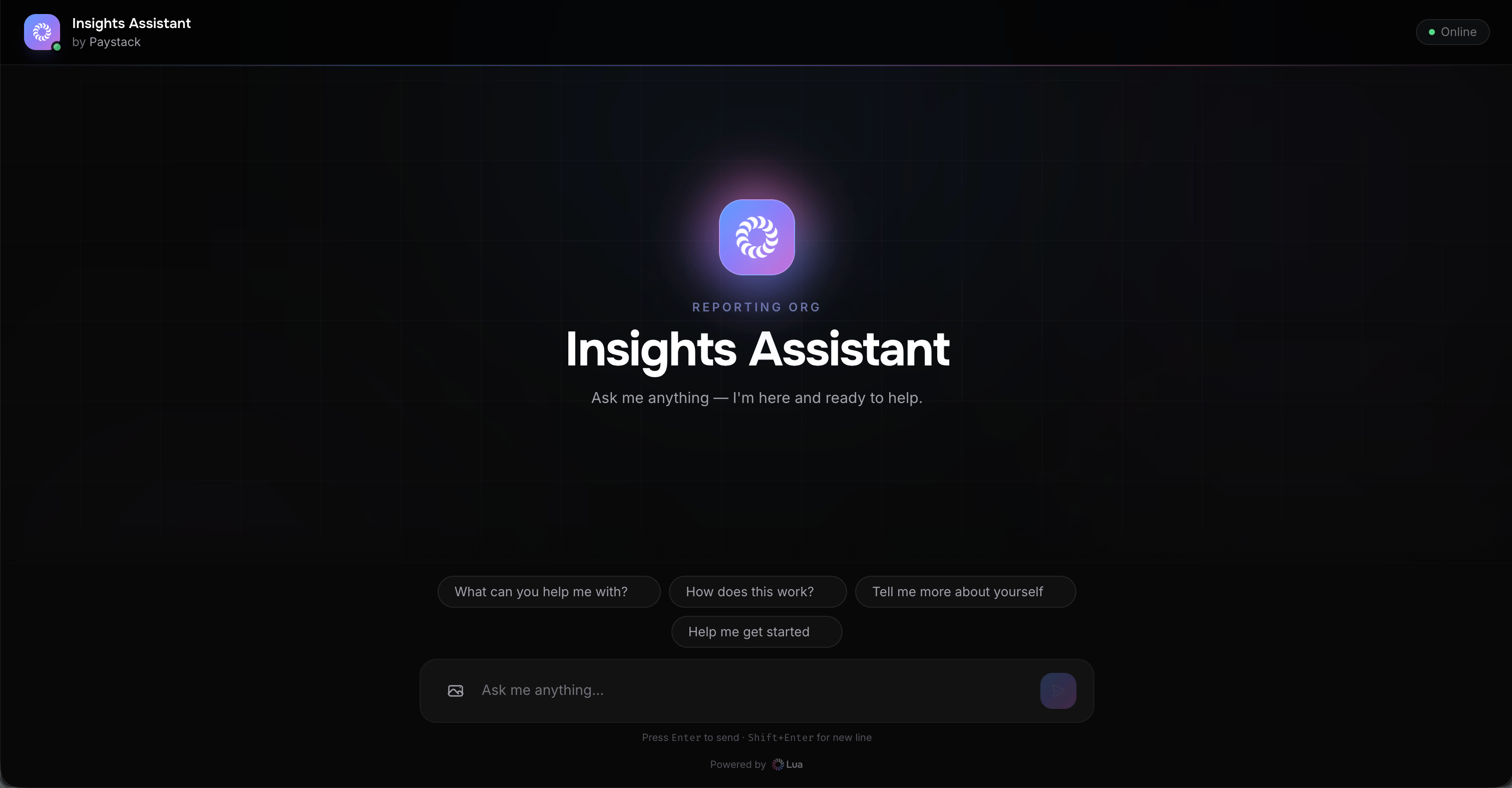 The hosted page is fully branded with your agent's name, icon, and welcome message, and shows starter prompts to help users begin the conversation.
This also works for [Spaces](/overview/spaces) — pass a Space ID as the `agentId` and the hosted page will coordinate all of the Space's supervised agents in one conversation.
## Next Steps
Learn about organizing tools into skills
Understand individual tools
Learn about HTTP endpoints
Understand scheduled tasks
Complete LuaAgent API documentation
Step-by-step tutorial
The hosted page is fully branded with your agent's name, icon, and welcome message, and shows starter prompts to help users begin the conversation.
This also works for [Spaces](/overview/spaces) — pass a Space ID as the `agentId` and the hosted page will coordinate all of the Space's supervised agents in one conversation.
## Next Steps
Learn about organizing tools into skills
Understand individual tools
Learn about HTTP endpoints
Understand scheduled tasks
Complete LuaAgent API documentation
Step-by-step tutorial