> ## Documentation Index
> Fetch the complete documentation index at: https://docs.heylua.ai/llms.txt
> Use this file to discover all available pages before exploring further.
# SimplyBook.me
> Connect your booking system with Lua AI agent
## Overview
### About SimplyBook.me
**SimplyBook.me** is a powerful online booking and appointment scheduling system trusted by over 10,000 service-based businesses worldwide. From beauty salons and fitness studios to medical clinics and professional consultants, SimplyBook.me handles the complexity of appointment scheduling, payments, reminders, and customer management.
### Automate Bookings with AI
Integrate **Lua AI** with SimplyBook.me to give your customers an intelligent booking assistant that works 24/7. Instead of customers navigating your booking page alone, they chat with an AI agent that understands their needs, checks availability, and completes bookings instantly.
**Why This Transforms Your Business:**
* 📅 **More Bookings** - AI converts casual inquiries into confirmed appointments
* ⏰ **24/7 Availability** - Book appointments even when you're closed
* 💬 **Natural Conversations** - "I need a haircut tomorrow afternoon" → Done
* 📱 **Multi-Channel Booking** - WhatsApp, Facebook, Instagram, Email, Website
* ⚡ **Instant Confirmation** - No back-and-forth, immediate scheduling
* 🔄 **Reduce No-Shows** - AI sends personalized reminders
* 💰 **Upsell Services** - AI suggests additional services intelligently
* 📊 **Fill Empty Slots** - AI proactively offers last-minute openings
Complete booking management
Connect via official API
Beauty, fitness, medical, professional
Conversational appointment scheduling
## What SimplyBook.me Offers
According to [SimplyBook.me](https://simplybook.me/en/):
**Features:**
* 📅 Online booking system
* 📱 Client & Admin mobile apps
* 💳 Payment processing (Stripe, PayPal, etc.)
* 🔔 WhatsApp, SMS & Email notifications
* 🌍 Multi-location support
* 📊 Business analytics
* 🔄 Calendar sync (Google, Outlook)
* 🎨 Customizable booking websites
**Perfect for:**
* Beauty & Wellness
* Sports & Fitness
* Healthcare
* Educational services
* Events & Entertainment
* Professional services
* And more
***
## Prerequisites
Before connecting to Lua, you need:
1. **SimplyBook.me Account** - Active account at [simplybook.me](https://simplybook.me/en/)
2. **Company Login** - Your unique SimplyBook.me identifier
3. **API Access** - API custom feature enabled
4. **API Key** - Generated from your account
***
## Setup Steps
Go to [https://simplybook.me/en/](https://simplybook.me/en/) and log in to your account
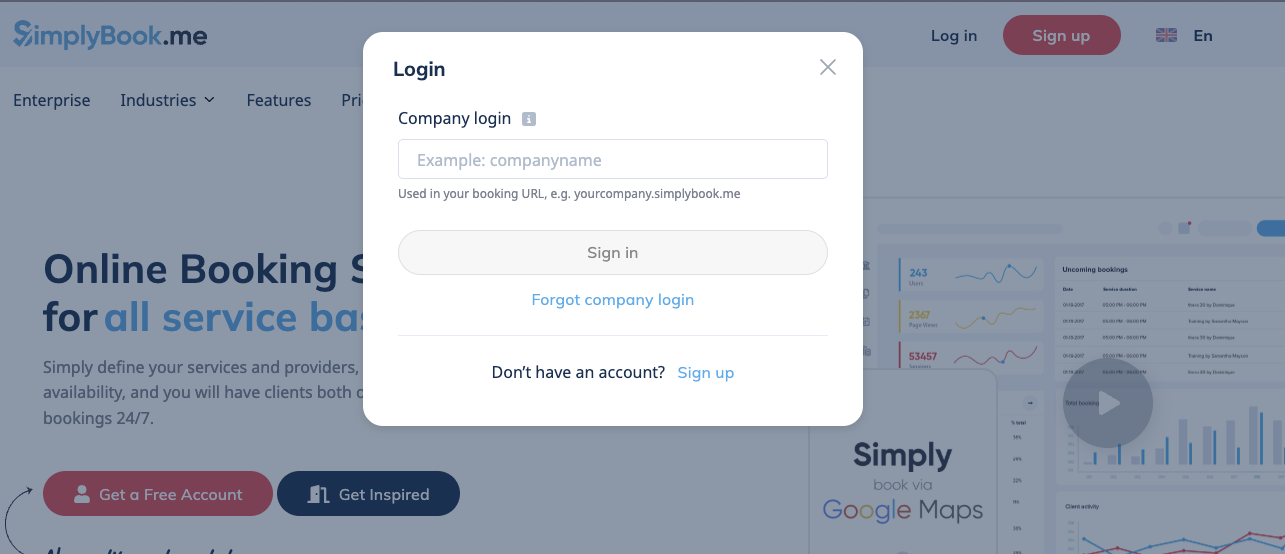 *Screenshot: SimplyBook.me login page*
Hover over your account name (left menu) and select **Account Info**
*Screenshot: SimplyBook.me login page*
Hover over your account name (left menu) and select **Account Info**
 *Screenshot: Dropdown menu showing:*
* Account name
* Account Info (highlighted)
* Settings
* Logout
On the Account Info page, locate your **Company Login**
*Screenshot: Dropdown menu showing:*
* Account name
* Account Info (highlighted)
* Settings
* Logout
On the Account Info page, locate your **Company Login**
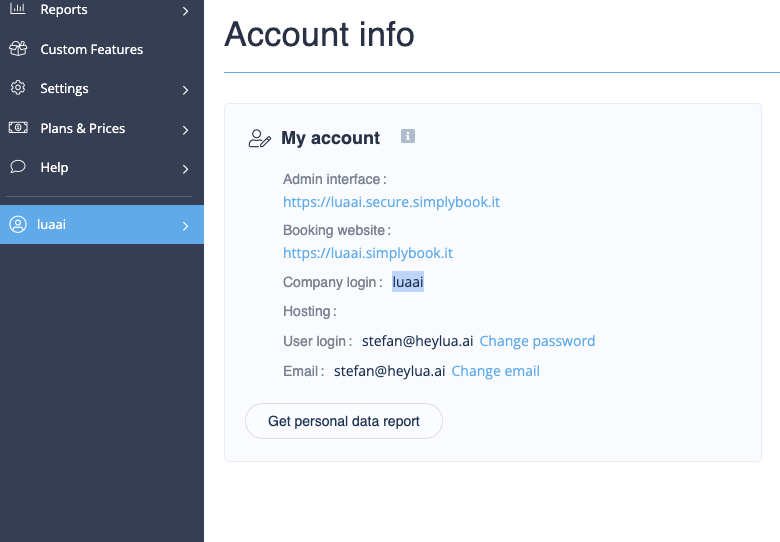 *Screenshot: Account Info page showing:*
* Company Login field (e.g., "yourcompany")
* This is your unique identifier
* Used in booking URL: yourcompany.simplybook.me
**Save your Company Login** - You'll need this for API integration with Lua
Navigate to: **Custom Features** tab
Scroll down to find **API**
Toggle it **ON** (if currently disabled)
*Screenshot: Account Info page showing:*
* Company Login field (e.g., "yourcompany")
* This is your unique identifier
* Used in booking URL: yourcompany.simplybook.me
**Save your Company Login** - You'll need this for API integration with Lua
Navigate to: **Custom Features** tab
Scroll down to find **API**
Toggle it **ON** (if currently disabled)
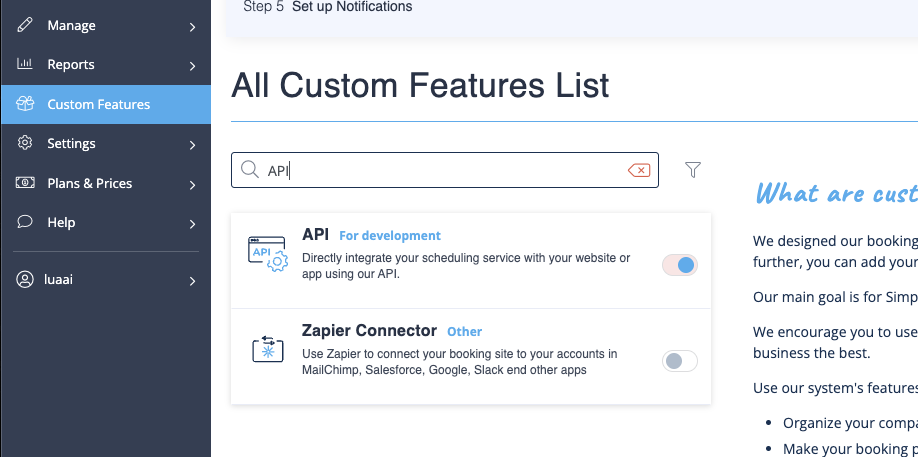 *Screenshot: Custom Features page showing:*
* List of custom features
* API toggle switch
* Toggle in OFF state (before)
* Toggle in ON state (after)
If you don't have an API key yet:
1. Find the API key section
2. Click **Generate New API Key**
3. Copy the generated key
*Screenshot: Custom Features page showing:*
* List of custom features
* API toggle switch
* Toggle in OFF state (before)
* Toggle in ON state (after)
If you don't have an API key yet:
1. Find the API key section
2. Click **Generate New API Key**
3. Copy the generated key
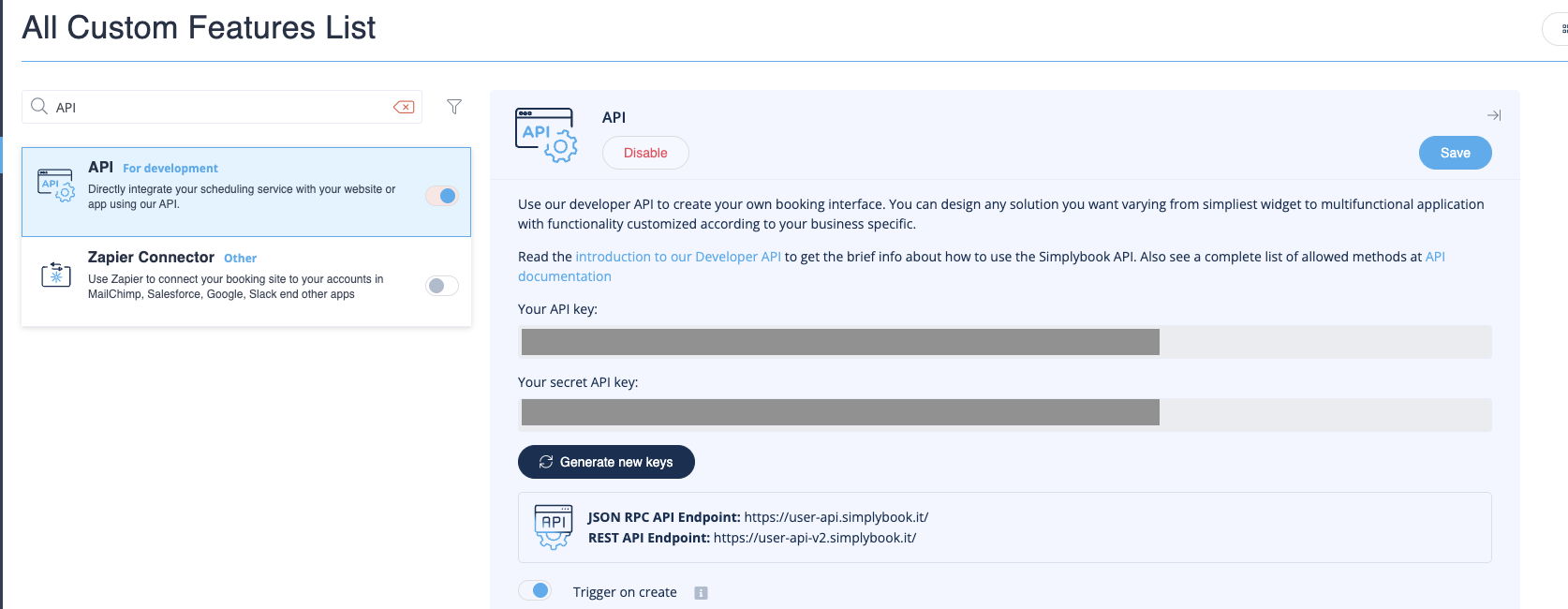 *Screenshot: API key generation interface showing:*
* "Generate New API Key" button
* Generated key display (partially masked)
* Copy button
**Save your API key securely!** You'll need this to integrate with Lua. This key provides access to your booking system.
***
## SimplyBook.me API Capabilities
Your Lua agent can use the SimplyBook.me API to:
View available appointment slots
Schedule appointments
Update or cancel appointments
Access client data
Get service information
Check staff availability
## Common Use Cases
### Appointment Booking Agent
```typescript theme={null}
// Tools your agent can use:
- search_services: Find available services
- check_availability: Show open time slots
- create_booking: Schedule appointment
- get_booking: Check booking details
- cancel_booking: Cancel appointment
- reschedule_booking: Change appointment time
```
**Example conversation:**
```
User: "I need a haircut appointment"
Agent: "I can help you book a haircut!
What day works best for you?"
User: "Tomorrow afternoon"
Agent: [Calls check_availability]
"Here are available times tomorrow afternoon:
- 2:00 PM
- 3:30 PM
- 4:00 PM
Which time would you prefer?"
User: "2:00 PM"
Agent: [Calls create_booking]
"Perfect! Your haircut is booked for tomorrow at 2:00 PM.
You'll receive a confirmation via email."
```
***
## Industries Supported
SimplyBook.me works across [many industries](https://simplybook.me/en/):
* Hair salons
* Spa & massage
* Nail salons
* Barber shops
* Beauty services
* Medical clinics
* Dental offices
* Physiotherapy
* Mental health
* Wellness centers
* Personal training
* Yoga studios
* Gyms
* Sports coaching
* Fitness classes
* Consulting
* Legal services
* Financial advisors
* Coaching
* Photography
* Education & tutoring
* Events & entertainment
* Pet services
* Home services
* And more
***
## Next Steps
Create account if you don't have one
*Screenshot: API key generation interface showing:*
* "Generate New API Key" button
* Generated key display (partially masked)
* Copy button
**Save your API key securely!** You'll need this to integrate with Lua. This key provides access to your booking system.
***
## SimplyBook.me API Capabilities
Your Lua agent can use the SimplyBook.me API to:
View available appointment slots
Schedule appointments
Update or cancel appointments
Access client data
Get service information
Check staff availability
## Common Use Cases
### Appointment Booking Agent
```typescript theme={null}
// Tools your agent can use:
- search_services: Find available services
- check_availability: Show open time slots
- create_booking: Schedule appointment
- get_booking: Check booking details
- cancel_booking: Cancel appointment
- reschedule_booking: Change appointment time
```
**Example conversation:**
```
User: "I need a haircut appointment"
Agent: "I can help you book a haircut!
What day works best for you?"
User: "Tomorrow afternoon"
Agent: [Calls check_availability]
"Here are available times tomorrow afternoon:
- 2:00 PM
- 3:30 PM
- 4:00 PM
Which time would you prefer?"
User: "2:00 PM"
Agent: [Calls create_booking]
"Perfect! Your haircut is booked for tomorrow at 2:00 PM.
You'll receive a confirmation via email."
```
***
## Industries Supported
SimplyBook.me works across [many industries](https://simplybook.me/en/):
* Hair salons
* Spa & massage
* Nail salons
* Barber shops
* Beauty services
* Medical clinics
* Dental offices
* Physiotherapy
* Mental health
* Wellness centers
* Personal training
* Yoga studios
* Gyms
* Sports coaching
* Fitness classes
* Consulting
* Legal services
* Financial advisors
* Coaching
* Photography
* Education & tutoring
* Events & entertainment
* Pet services
* Home services
* And more
***
## Next Steps
Create account if you don't have one