> ## Documentation Index
> Fetch the complete documentation index at: https://docs.heylua.ai/llms.txt
> Use this file to discover all available pages before exploring further.
# Links Component
> Display web URLs and search results
## Overview
The **Links** component displays URLs with rich previews - perfect for web search results or documentation links.
## Format
```
::: links


:::
```
## Example
```
::: links


:::
```
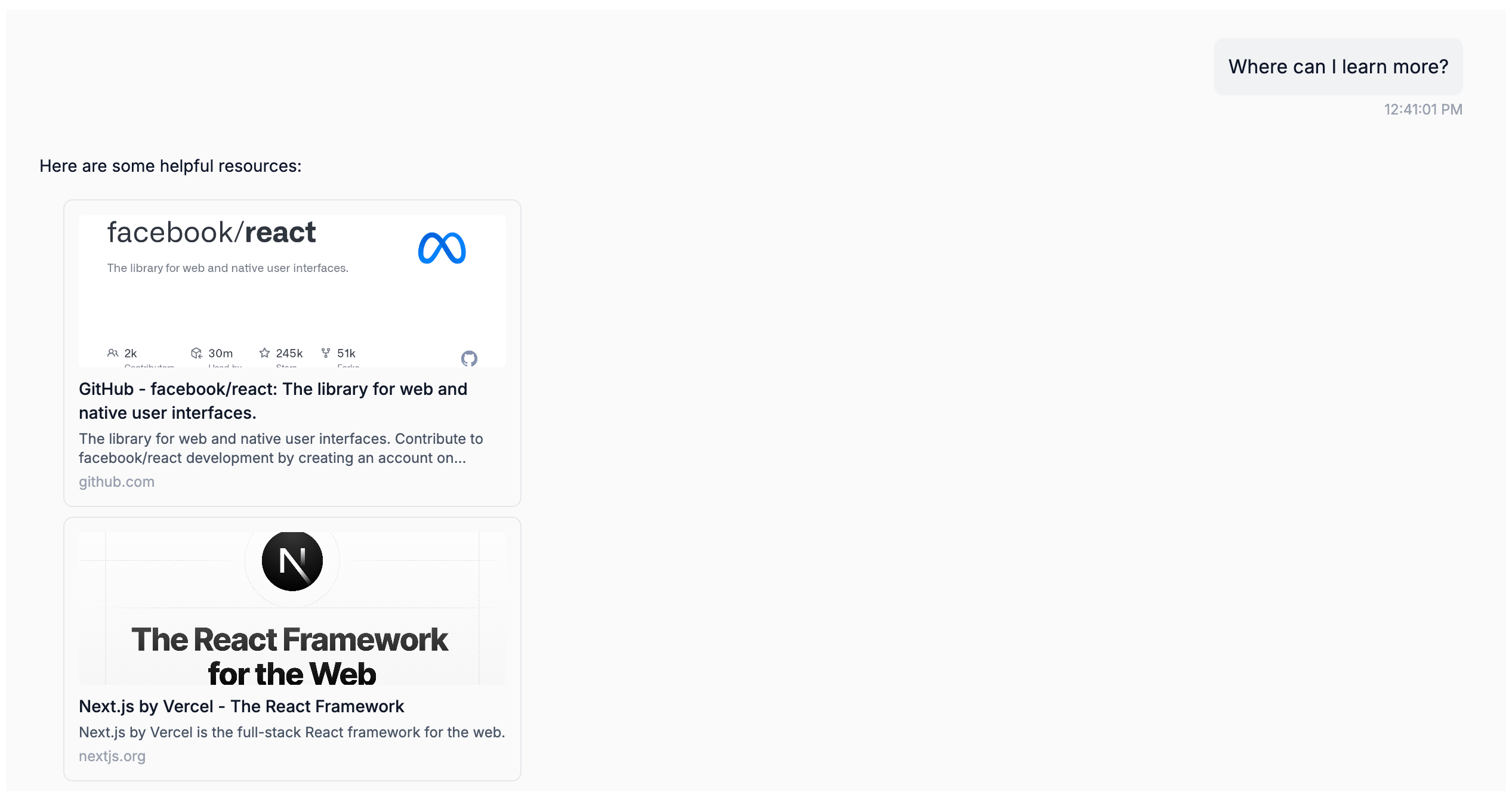 *Link preview cards rendered in the Lua Pop web widget.*
## Configure in Persona
```yaml theme={null}
persona: |
When user asks for documentation or web resources:
::: links


:::
```
## Best For
* Web search results
* Documentation links
* Support articles
* External resources
Next: Display image galleries
*Link preview cards rendered in the Lua Pop web widget.*
## Configure in Persona
```yaml theme={null}
persona: |
When user asks for documentation or web resources:
::: links


:::
```
## Best For
* Web search results
* Documentation links
* Support articles
* External resources
Next: Display image galleries